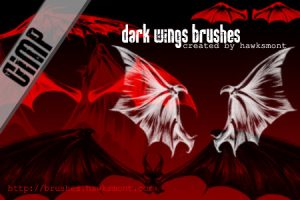
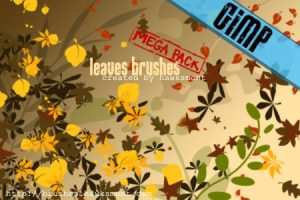
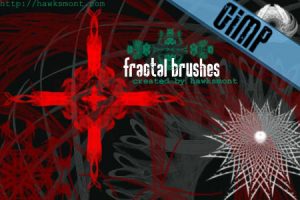
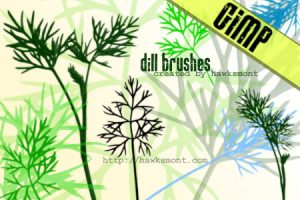
Download free GIMP brushes (1400 brushes)

ADVERTISEMENT
To get our software and web/tips via email, sign up for daily email newsletter.
Subscribe to RSS feed or follow me on Twitter?

GIMP is an open-source image editing program, one of the most popular image-editing programs. GIMP has a large library of free brushes that can be downloaded, to improve functionality of GIMP. Here is a large collection of GIMP brushes that you will find useful for various purposes.

You may also be interested in related posts:

Free GIMP brushes collection

GIMP Scratchies brushes

Grunge Brush set 3

Grunge Brushes

Splatter Brushes

GIMP water brushes

Butterflies brushes

Blood brushes

GIMP Brush sets/collections

Grass blades: Create sharp-looking grass blades.

VectorGrunge: Another grunge brush.

ADVERTISEMENT

Clouds: Create bright, natural clouds.

Floral: Create floral patterns

Florals: Another floral brush set.

Deep Down: Create smooth, deep art.

Sparkle : Dark, sparkling textures.

Cloudy: Create dark clouds.

Mask Brushes: Create dark, masking layers.

Grunge brushes: Create grunge textures.

Filmstrip: Create film overlays/graphics.

Tree brushes: Create trees!

Comments
  1. Justin
  2. thanks,i am just looking for those brushes.

    edward
  3. Fantastic compilation of brushes, have been looking for you wouldn’t believe how long to find some good brushes to assist in making avatars and signatures for my forum members, and to have a play with myself.

    I look forward to opening up the gimp when I have them all installed and having a good old bash at making some better designs :)

    Thank you.

    Carol Venables
  4. This is so cool! I’m just a beginner :(

    Planet Lowyat
  5. Thank you for this great post!

    Greetings from Hamburg Germany
    Nils

    Nils
  6. Very handy… Gimpage makes me smile. Thanks for posting.

    Zaskoda
  7. ¡fantástico! muchas gracias… me será útil en mi comienzo con el GIMP.

    Jo.
  8. Would you consider posting video tutorials detailing how you accomplished the above in free formats? :)

    tinkertim
  9. I am recommending your web site for the “Link of the Week” nomination for the gimp brushes and plugins articles at the http://www.maysville-linux-users-group.org — this weeks has already been nominated, but hopefully next week you can grab the spotlight.

    ed wiget
  10. @Ed wiget: Thanks for the nomination.

    Sumesh
  11. Awesome! That’s about all I have to say. Thanks for the great list.

    Tim
  12. hell i’m still confused but, OwO ..*,[ GIMP BRUSHES SUPAH ROCKS ],*..

    Mek
  13. Hey there.
    I have just started using gimp amd don’t really no what to do. I have downloaded some brushes wich went to a zip file. How do i make them saty in my toolbox tab thingy…
    There not there?
    Im sorry i have read ur tutorial and really just dont understand how to activated them
    I have never really used zip files either….
    So was just wondering if maybe yuu could explain it a bit more simpler for the dumb ppl lyk me who dont get it…LOL?
    Or maybe do you npo were i can find a video tutorial on how to do it…
    Any help would be great,
    Sorry to be a hassel….

    Samantha Jayne
  14. samantha, all you have to do is get to the actuall brushes and copy paste into your gimp folder. to do this u may want to search for your simp folders. then you paste them into the brushes folder.

    hope this helps!

    ~MEBERT~

    Mebert
  15. thanks alot.some of it are really preety coooool!

    arman behrouzi
  16. Thanks! These are great! (:

    loisir
  17. Thank you very much for all these awesome brushes. :)
    I just got GIMP for my laptop, but always had it for mty main computer and these were some of the brushes I used before. The brushes from here have always been my favorites. Thanks again!

    Julia
  18. Very good and useful brushes. Fantastic!!!!!!!!

    Bibi
  19. hell yeah..

    that’s what i’m lookin for..

    thanks a lot to whoever made, upload, and made the list just like you..

    awesome bro..

    God Speed..

    doujutsu
  20. Very good brushes :)

    HaXIoR
  21. Hi! Very, Very thanks ;] Greetings from Poland :)

    Franc
  22. Love them. <33
    Thanks. =]

    Jorse
  23. Wow! these brushes are amazing!! I decided to install GIMP because I wanted to improve my avatar creating skills, and decided to google some brushes, I’m glad i did because these brushes will help me create some avatars beautifully!

    jess x

    jess
  24. I didn’t realize how amazing GIMP can be. I am excited to try a brush. This is all new to me!

    Janae
  25. FINALLY! amazing brushes now i can make better designs. THANK YOU!

    Dan-O
  26. Lovely variety of brushes in all, however this particular page has brushes of similar styles, might I suggest putting many different varieties here instead?

    Plus your tutorial, although simple is a little hard to follow, as I am definately not a computer whizz and can’t seem to find any of the documents needed to downloads the brushes.

    So although I have saved them to my computer, they are unusable at the moment, and I am sad to say I have had to delete many due to the fact they take up so much memory and can’t be used.

    I think a step-by-step would be nicer, plus directions ons where to go. It would help a lot. Good Luck, and I love some of the brushes people have made (:

    JumbleSale
  27. Thanks!!! Help alot~~

    K to the YO
  28. i am wondering what kind of brushes would u use if u want to make a avitar like meez or imvu?

    marina
  29. Thank you!

    Great compilation! :)

    george
  30. thanx a lot!!!!
    this make my day, i was just looking for this..
    from teh caribena.. THANX!!!!!

    att..mexican artist :)

    miriam
  31. Fabulous!
    Thanks a lot! :D

    guch
  32. I so love GIMP (and Ubuntu:)! And fiding these brushes on the net helps me in creating more vectors and vexels:)

    jonallinyang
  33. Hey I’m having a hard time. i have windows vista. and it sucks. any chance i could get some help?

    It keeps saying:
    “C:\Users\owner\AppData\Local\Temp\SS-grunge-swirls-3.zip could not be opened, because the associated helper application does not exist. Change the association in your preferences.”

    matt
  34. These are just the brushes I’ve been looking for for a few things I’m working on. Thanks!

    Yukki
Leave a Reply

If you have a computer/web help question, click here to ask it on our forum for faster response.