When you compose a mail in GMail, the default font is san-serif. Google likely decided on this font due to its availability on just about every computer. However, it is not exactly the best option – depending on the situation, it might even be unprofessional to use it.
I personally prefer black Tahoma or Trebuchet MS font. Your choice might vary. GMail does not have a direct option to tweak these settings. You have to enable a Labs feature for this.
- Go to Settings > Labs.
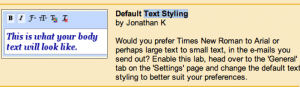
- Enable “Default Text Styling”.
- Hit Save.
- Go to Settings > General. Change the settings under “Default Text Styling option.
- To revert to default settings, click “Remove Text Formatting”.