Although Mac OS X natively supports zip format and has an excellent search and indexing tool in Spotlight, you cannot search within zip files using Spotlight.
However, Spotlight can be extended with plugins, and we can use Ziplight plugin to search within zip files. Installing Ziplight is slightly different from normal programs, as you are installing a plugin for an app.
Download Ziplight
Ziplight is available for free from Bartas Technologies- download it.
On double-clicking the downloaded .dmg file, you get a Ziplight.mdimporter file.
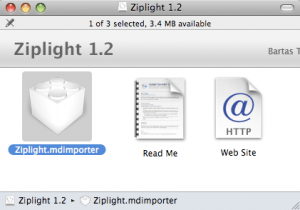
Install Ziplight
Drag and drop the file into Spotlight folder under Library – by clicking Macintosh HD, then Library and finally the Spotlight folder.
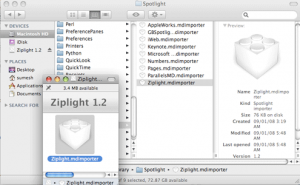
Reboot or logout and login to your Mac to start using Ziplight plugin. It takes a few minutes for Ziplight to index all the zip files on your Mac – usually 10 to 30 minutes depending on the number of zip files on your system.
In an effort to be fast and easy to use, Ziplight searches only names of files within a zip folder. This should be enough for most purposes.